











Champion Bet APK gives Android users a direct way to install the mobile app without waiting for store availability. If you need a safe download, this page explains what the file does, how installation works, and what to check before you log in.
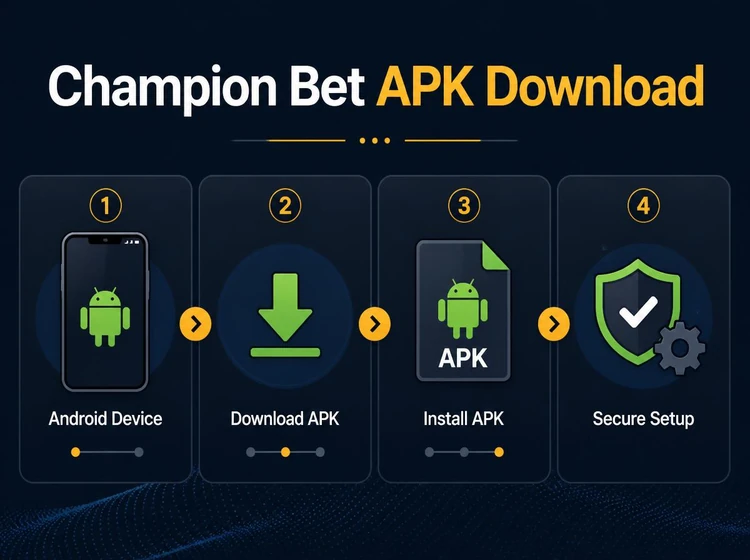
Many users prefer the APK route because it keeps the installation process direct. It also gives you the current app file in one place, which matters if your phone does not offer the app through a store or if you want to install it manually.
Why Download Champion Bet APK
An APK file is the Android package that installs the app on your device. For betting platforms, this format is often the most practical option because it lets users in the Republic of Congo get the application directly from the official website instead of depending on store availability.
Downloading the official file reduces the risk of tampered software. It also gives you control over when to install updates, which is useful if you want to keep the same app version across more than one Android phone or tablet.
Champion Bet App Download APK Latest Version
The latest release usually focuses on performance rather than dramatic changes. Faster loading, cleaner navigation, and bug fixes are the main improvements users notice first, especially when they move between odds, account pages, and live betting screens.
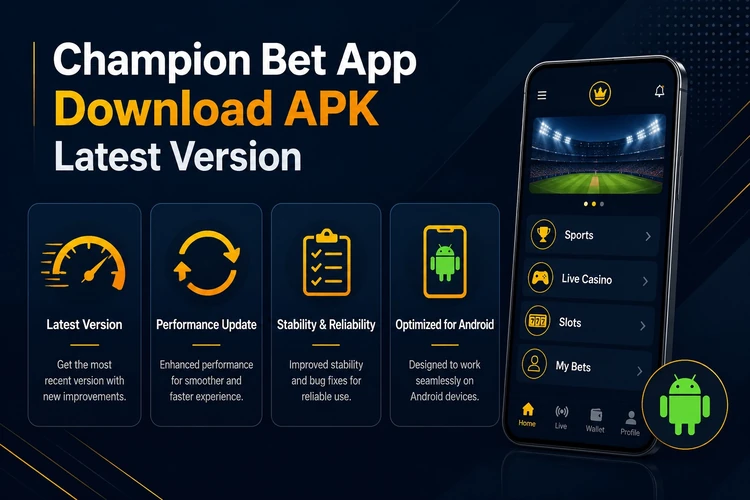
A current version is also easier to run on newer Android builds. If you keep the app updated, you are less likely to see crashes, frozen screens, or slow transitions caused by older files that no longer match the device system.
Installation Guide
Installing the app takes only a few steps, but each one matters. Before you start, make sure your device has enough free storage, a stable connection, and permission to install apps from outside the store.
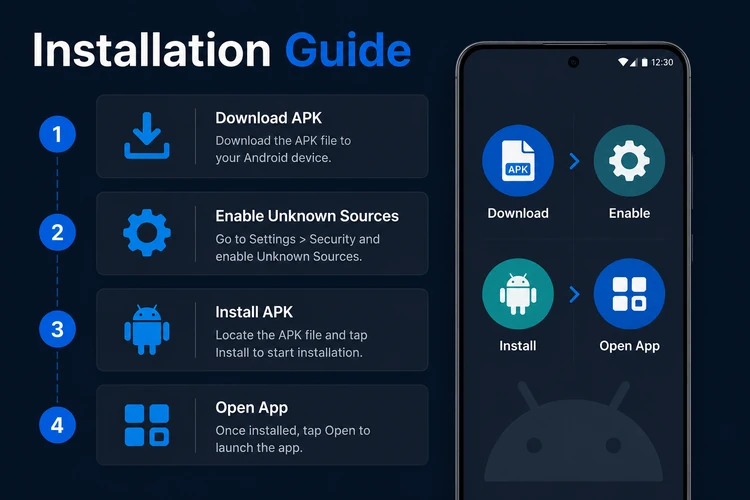
Download the APK
Open the official Champion Bet website in your mobile browser and tap the Android download link. Save the file to your Downloads folder so you can find it quickly after the transfer finishes. If the connection drops, restart the download instead of trying to install a partial file.
Enable Unknown Sources
Open your device settings and go to Security or Privacy, depending on your Android version. Look for the option labeled Install Unknown Apps or Unknown Sources. Enable this setting for your browser or file manager so the phone can accept the APK installer. You can switch the permission off again after setup if you want to keep the device locked down.
Install the File
Open your file manager and locate the downloaded APK in the Downloads folder. Tap the file to launch the installer. Android will display the permissions the app requires, such as internet access and storage. Review them once, then tap Install. The process usually takes only a few seconds.
Open the App
Once installation completes, tap Open to launch the application. You can also find the Champion Bet icon on your home screen or app drawer. The first launch may take slightly longer as the app initializes and checks your device settings.
Log In or Register
If you already have an account, enter your details on the login page. New users can create an account through the site and then return to the app once the registration is complete. After that, you can move into the sports markets, live betting area, and casino section without repeating the setup steps.
Features of the Mobile Application
The mobile app replicates the full functionality of the desktop site in a format optimized for smaller screens. The sports betting section covers football, basketball, tennis, and other popular events with pre-match and live markets. Live betting updates odds in real time, letting you place wagers as the action unfolds. Visual indicators show match statistics and current scores.
The casino section includes slots, table games, and live dealer rooms. You can move between categories without zooming or waiting for separate desktop pages to load. Account management tools let you deposit funds, request withdrawals, and review your betting history. Push notifications can alert you to bet outcomes and important account activity, while the layout stays readable in portrait or landscape mode.
Security Recommendations
Only download the APK from the official Champion Bet website or verified sources. Unofficial mirrors and third-party download sites may distribute modified versions that contain malware or steal your login details. Before installing, check that the file name, size, and version information match the official listing.
Install updates as soon as they become available. Developers release new versions to patch security vulnerabilities and improve system stability, and older files can start to behave unpredictably after Android updates. If you are not sure whether the install worked, open the app once, confirm that the icon appears in the app drawer, and check that it launches without repeated permission prompts.
Keep your device's operating system current as well. Android security updates address system-level threats that affect all applications. Use a strong, unique password for your betting account and avoid public Wi-Fi networks when accessing it. Mobile data or a trusted home network is a safer choice when you are logging in or making account changes.
FAQ
Champion Bet APK is the Android installer file for the Champion Bet mobile app. It contains the software needed to place it on your phone or tablet without using a store download. This format is common for apps that need direct distribution or are not always listed in every app store region.
Download the file from the official website, then allow your browser or file manager to install apps from unknown sources. Open the downloaded APK, review the permissions, and tap Install. When the process ends, open the app and sign in with your account details.
Yes. When a new release is published, download the latest file from the official site and install it over the current version. In most cases, your account stays the same, but you may need to log in again after the update. It is a good habit to check for new builds regularly.
The app file itself is free to download and install. You do not pay for the software. Separate account activity, such as betting or casino play, may require a deposit, and any payment method rules are shown inside the platform.
APK files are safe when they come from the official source and are not altered by a third party. The main risk comes from copied files, fake mirrors, or modified installers. Always check the source, review the permissions, and avoid files that do not match the official version details.
Support can change with new releases, so the best place to check is the download page for the current minimum Android version. Most modern phones will work without trouble, but older devices may need an operating system update before the app installs correctly.