











This page helps users in the Republic of Congo access an existing account, create a new one, or resolve common authorization issues. Whether you need to sign in or complete your first registration, the instructions below explain what information to prepare and which checks to make. You will also find practical advice for forgotten passwords, verification messages, browser errors, and contacting support.
How to Access Champion Bet Login
Open the homepage and select the login option in the main navigation. The form normally asks for the phone number or email address linked to your user account and the password created during registration. Enter both carefully, then select the sign-in button. If the details match, the site will take you to the account area.
Before entering a password, check that you are using the correct website address and that the connection is private. Do not save credentials on a shared computer or in a public internet café. Sign out fully after use, especially if another person can access the device. Keep your phone number and email current so that account recovery messages can reach you.
Champion Bet Online Registration
Creating an account gives you a personal area for sports betting activity and account management. The registration form may request your full name, date of birth, phone number, and email address. Prepare these details before starting, and use information that you can verify later if an identity check is requested.
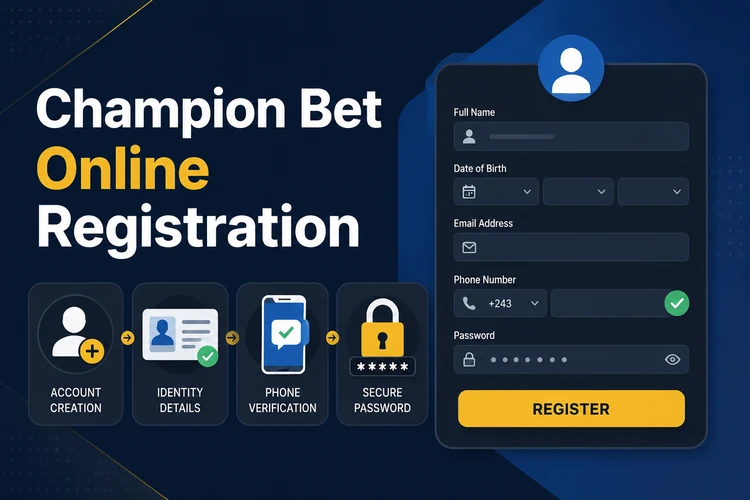
You must be at least 18+ years old to register. Accurate information is important because details may need to match documents during account verification or before a withdrawal. Read the terms shown on the form before accepting them. After registration, you can use the same credentials for the website and, where available, the mobile app download page.
How to Register with Champion Bet
Follow these steps to create an account:
- Step 1: Open championbets-congo.com in a current browser and check the address before continuing.
- Step 2: Select the Register button in the main navigation.
- Step 3: Enter your first name, last name, and date of birth exactly as requested.
- Step 4: Add a working phone number and email address that you can access.
- Step 5: Create a strong password that is not used on another service.
- Step 6: Choose the available currency and review the terms of service.
- Step 7: Submit the completed form after checking every field.
- Step 8: Follow any phone or email verification instruction sent by the site.
When the form is accepted, keep your login details private and sign in through the official website. Do not send your password or verification code to another person claiming to represent support.
Champion Bet Registration Tips
Check spelling, date of birth, phone number, and email address before submitting the form. A wrong email can prevent password reset messages from arriving, while an incorrect phone number can stop an SMS verification code. Use one email address consistently and make sure its inbox is not full.
Choose a password that is difficult to guess without making it impossible for you to remember. Avoid your name, birthday, repeated characters, or simple sequences. A password manager can store it securely. After account creation, review the security and notification settings available in your account. If you plan to bet, set a personal spending limit and read the responsible gambling guidance before depositing.
Login Problems and Password Recovery
If the site rejects your password, check the spelling, keyboard language, and whether Caps Lock is active. Make sure you are using the phone number or email connected to the account rather than a newer contact detail. Avoid repeated guesses, as several failed attempts may trigger a temporary security restriction.
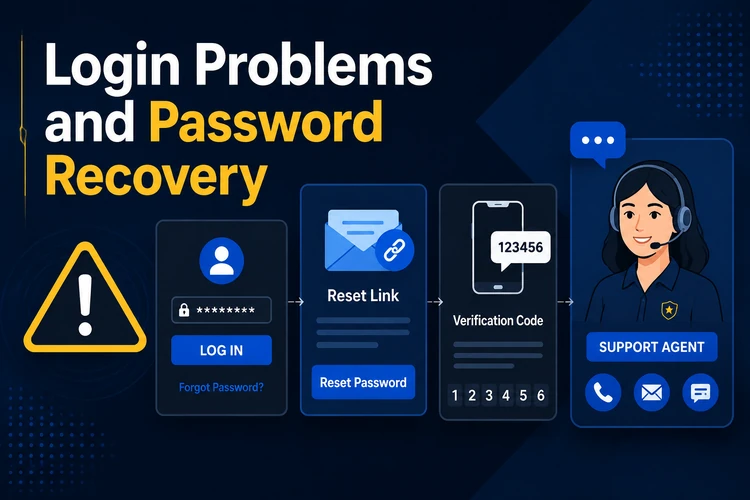
For a forgotten password, use the recovery link below the login form and follow the instructions provided by email or SMS. If the message does not appear, check the spam or blocked-message folder and confirm that you entered the correct contact detail. Create a new password that you have not used elsewhere, then return to the login page.
Blank screens, loading failures, and timeout messages can come from a weak connection, an outdated browser, or stored page data. Refresh the page, try a private browser window, or switch networks if safe to do so. On a phone, check that the browser or installed app is current. If access remains blocked, contact customer support and include the error message, approximate time, and registered contact detail. Never include your password in a support request.
When an account appears locked, wait before making more attempts and use the recovery process rather than continuing to guess. Support may need to confirm that you own the account, so provide only the information requested through the official contact channel. Do not create a second account to bypass a restriction, since duplicate details can make verification more difficult.
With these steps, you can complete a Champion Bet registration, sign in through the login page, and handle the most common access problems. Keep your contact details accurate, protect your credentials, and use the recovery or support options when normal sign-in does not work.
Frequently Asked Questions
Creating an account normally does not require a registration fee. Review any deposit, payment, or betting conditions shown on the site before using the account.
Open the website, select Register, enter the requested personal and contact details, and submit the form. Complete phone or email verification if the site prompts you.
Yes. You can open the website in a mobile browser and use the same credentials as on a computer. If an app is available, obtain it through the official app page and check its permissions before installing.
Check the spelling and keyboard settings first. If the password is still rejected, use the recovery link on the login page and follow the email or SMS instructions.
The form itself may be completed quickly when you have the required details ready. The total time depends on whether phone, email, or identity verification is requested.
Some accounts may require phone or email confirmation during sign-up. Follow the prompt shown on the site, and be prepared for additional identity checks if they are required for account access or withdrawals.